
Smart home Buying guide
5 reasons why smart locks are worth buying (and the one we’d pick)
We spent weeks reading spec sheets, manuals and owner feedback to work out whether a smart lock is really an upgrade over a key. It is, for most homes. Here is why, and why the Tapo DL130 palm and fingerprint lock came out as our pick.
This article contains affiliate links. If you buy through them we may earn a commission, at no extra cost to you. How we earn money.
A front-door key is one of the oldest bits of technology most of us still carry every day. It works, mostly. It also gets lost, copied, left under a flowerpot and handed to people we only half trust. Smart locks promise to fix all of that, but they have had a patchy reputation: fiddly apps, batteries that die at the worst moment, and fingerprint pads that sulk when your hands are wet.
The newest generation is a lot better. Over the past few weeks our editorial team compared current smart locks on what actually matters at a front door: how you get in, what happens when something fails, how your data is handled and how hard the thing is to fit. Below are the five reasons we think a smart lock is now worth buying, followed by the model we would put on our own doors.
Our pick: the Tapo DL130, a battery-powered deadbolt lock with palm vein recognition, a fingerprint reader, a keypad, app and voice control and a physical key backup.
Jump to our pickNo more keys to lose, copy or hide
The simplest argument for a smart lock is that it takes the key out of the equation. You stop patting your pockets on the doorstep, you stop wondering who still has the spare you lent out three summers ago, and you stop leaving one under the mat for the dog walker.
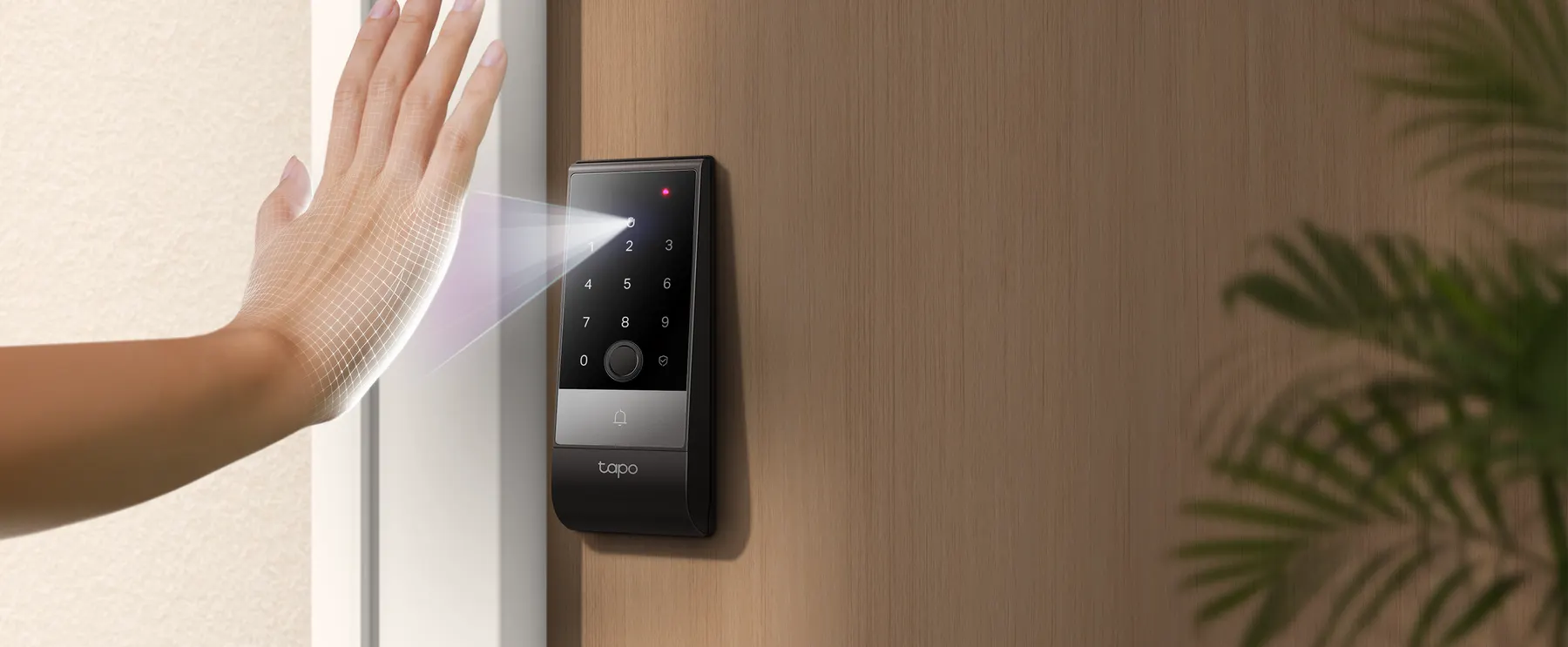
Biometric locks go a step further, because the “key” is part of you. Fingerprint readers have been around for years. Palm vein recognition is newer: the lock uses near-infrared light to read the pattern of veins beneath the skin of your open hand. You simply hold your palm up to the sensor, which is handy when you are carrying shopping bags or a toddler.
Good locks also give everyone in the house their own way in. Children can use a fingerprint, a visiting parent can use a code, and you can still keep a mechanical key in a drawer for emergencies.
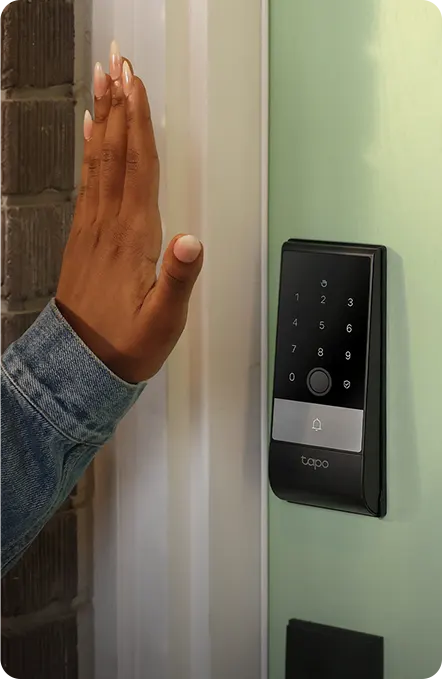
The best smart locks don’t replace your key with one new method. They give every person in the house a way in that suits them.
Security that adds up, layer by layer
A traditional lock is only as safe as the number of copies of its key. A smart lock can be safer because it adds several small protections that work together.
- Auto-lock. The door locks itself after it closes, so “did I lock it?” stops being a question.
- Lockout after failed attempts. Better models disable the keypad and sensors after repeated wrong tries.
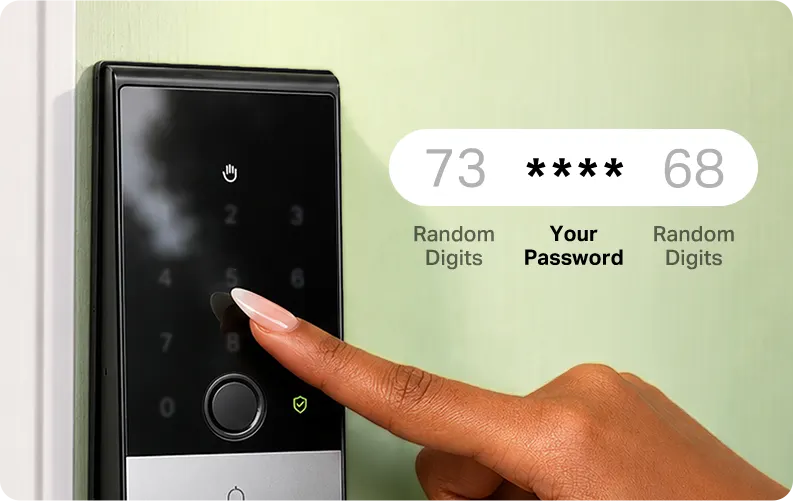
- Peep-proof codes. Some locks let you type random digits before or after your PIN, so nobody can learn it by watching.
- An activity log. You can see when the door was opened, and by which method.
Hardware still matters. Look for an independent rating such as BHMA (the US builders’ hardware standard), where Grade 2 is a solid level for residential front doors, and for weather resistance if the outer unit faces the elements.
Let people in, even when you’re not home
This is the reason owners mention most once they have lived with a smart lock for a while. A relative arrives early while you are stuck in traffic. A cleaner comes every second Thursday. A friend is feeding the cat while you are away. With a key, each of those needs planning. With a smart lock, it takes a tap in an app.
Modern locks typically offer three kinds of access codes: permanent codes for family, one-time codes for guests, and scheduled codes that only work in a set window, which is ideal for service visits. Real-time notifications tell you when someone has come and gone, and you can remove a person’s access the moment you no longer need it.
Voice assistants add a final layer of convenience: asking Alexa or Google Assistant to check or lock the door from the sofa is the kind of small luxury that quickly becomes a habit.
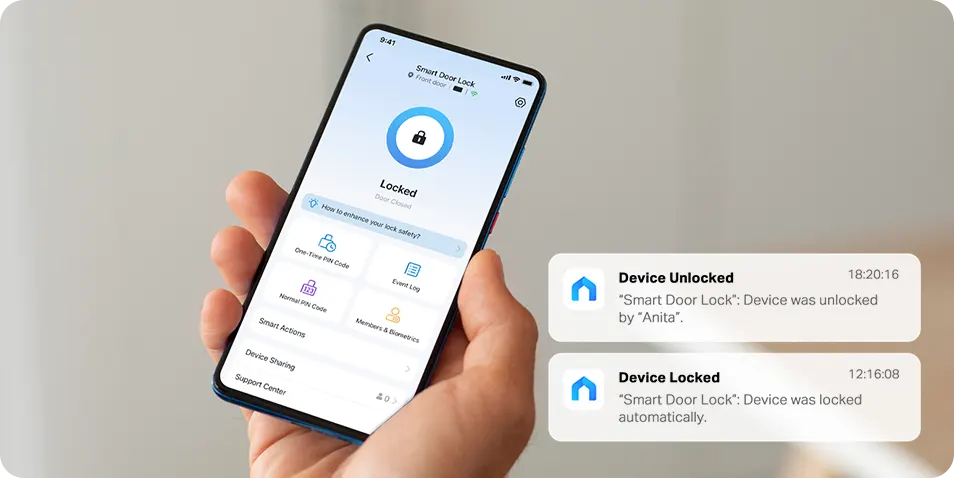
A key needs a plan. A scheduled code needs about ten seconds.
It still works when the Wi-Fi (or the battery) doesn’t
The worry we hear most about smart locks is being locked out by technology. It is a fair worry, and it is the area where cheaper locks differ most from good ones.
A well-designed lock does its job locally. Biometrics and codes are checked on the lock itself, so a router outage doesn’t stop you getting in. Bluetooth lets your phone talk to the lock directly when you are standing at the door. And a mechanical key cylinder stays in place as the last resort.
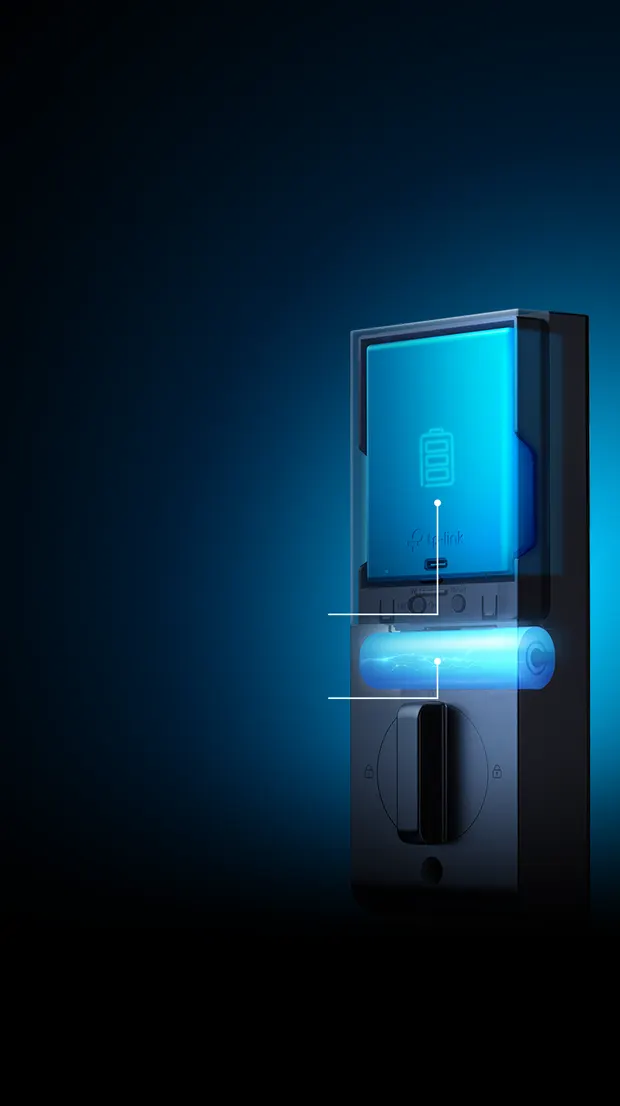
Power is the other half. Rechargeable battery packs avoid the hunt for AA batteries, and the best designs add a small backup cell that keeps the lock running while the main pack is charging. If everything runs flat, a USB-C port on the outside lets you power the lock for long enough to open it from a phone or power bank.
A Saturday-morning install, no locksmith needed
Most retrofit smart locks are designed to replace a standard single-cylinder deadbolt using the holes already drilled in your door. If you can use a screwdriver and follow a printed guide, you can usually fit one in an hour or so, and moving house means you can take it with you and put the old deadbolt back.
The key is checking compatibility before you buy. Measure your door thickness, the bore hole, the backset (the distance from the door edge to the centre of the hole) and the gap between your handle and deadbolt. Mortise locks and integrated multi-point locks are generally a different job altogether.
Once it is fitted, setup happens in the app: add people, enrol fingerprints or palms, set auto-lock timings and connect a voice assistant if you use one.
How we researched this guide
We did not run lab tests, and we won’t pretend otherwise. What we did was a structured desk review of the smart locks currently on sale, focusing on facts a buyer can check for themselves.
- Ways to get in
- How many unlock methods each lock supports, and whether there is always a fallback that does not depend on an app.
- Failure modes
- What happens without Wi-Fi, with a flat battery or after wrong attempts. We read manuals and support FAQs, not just marketing pages.
- Privacy
- Where biometric data is stored, whether it leaves the lock and how it is encrypted.
- Hardware ratings
- Published BHMA grade and weather-resistance rating for the outdoor unit.
- Fit and setup
- Door compatibility measurements, what is in the box and how much of the setup is guided.
- Owner feedback
- What buyers commonly mention after living with a lock: reliability, install time and day-to-day quirks.
Specifications in this article come from the manufacturer’s product page at the time of writing. Read more about our team and how we work.
Our pick
Tapo DL130 Palm Access & Fingerprint Smart Door Lock
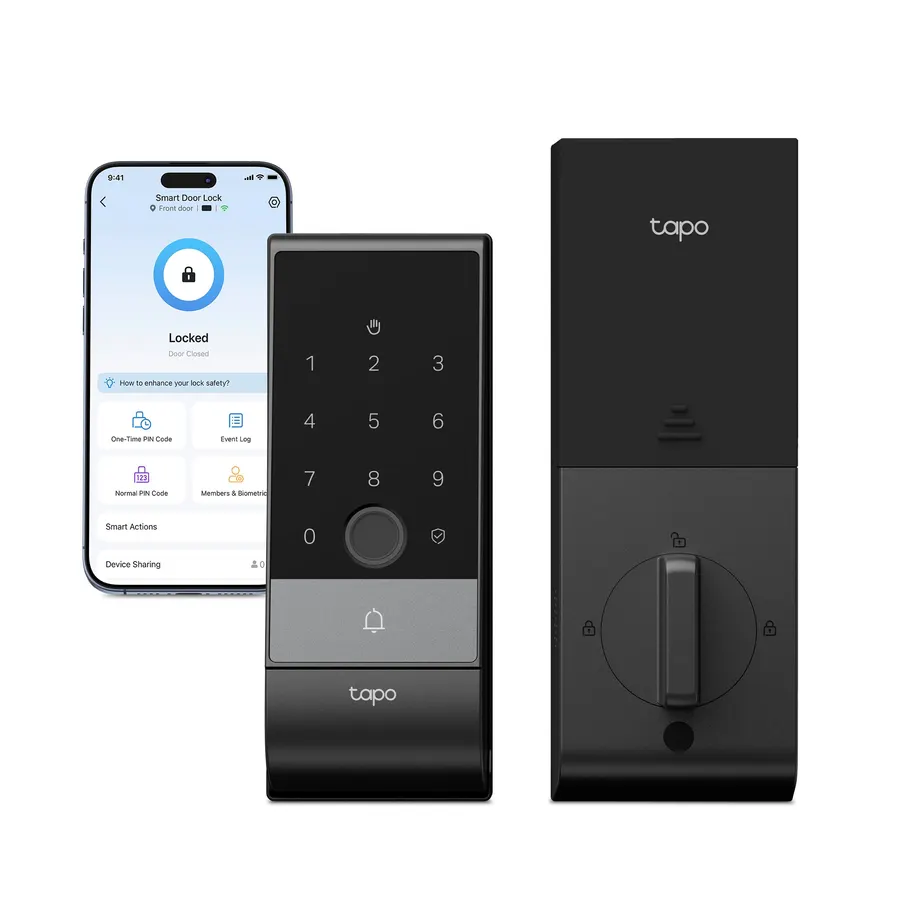
The DL130 is the flagship of Tapo’s smart lock range and the one lock we reviewed that covered all five reasons above without obvious gaps. It combines touch-free palm vein recognition with a fast fingerprint reader, a keypad, Wi-Fi and Bluetooth app control, voice control and a physical key: seven ways in.
- Palm vein recognition designed to resist fake or copied biometrics, and to work with wet, dirty or older hands
- Biometric data stored on the lock with AES-128 encryption, not in the cloud
- Dual-battery system: rechargeable pack rated for over a year per charge, plus a built-in backup
- Auto-lock via door sensor, door-left-open alerts and a built-in doorbell button
$229.99 price at time of writing, check the store for the current price
View the Tapo DL130Sold by the official Tapo US store. The store lists a 30-day return window and free shipping on orders over $49.
| Unlock methods | Palm, fingerprint, passcode, Wi-Fi app, Bluetooth app, voice control, physical key |
|---|---|
| Stored users | Up to 100 fingerprints, up to 50 palm prints, up to 200 access codes |
| Access codes | Permanent, one-time and scheduled codes |
| Connectivity | Wi-Fi 2.4 GHz / 5 GHz and Bluetooth (BLE 5.0); Bluetooth-only mode available |
| Security | 128-bit AES encryption with SSL/TLS; lockout after repeated failed attempts |
| Power | Rechargeable battery pack plus built-in backup battery; USB-C emergency power |
| Battery life | Up to 1 year per charge (manufacturer lab test, 20 unlocks a day in Wi-Fi mode) |
| Certification | BHMA Grade 2 |
| Weather resistance | IP65 (outdoor unit) |
| Smart home | Amazon Alexa, Google Assistant, Samsung SmartThings |
| Extras | Built-in doorbell, auto-lock with door sensor, door-left-open alert |
| In the box | Lock, installation plate, latch bolt, door sensor, battery pack, strike plate and dust box, silicone cover, 2 keys, 6 screws, power cable (1.64 ft), installation cards and stickers, quick start guide |
Who it’s for, and what to check first
A strong fit if you…
- Have a busy household with children, older relatives or regular visitors who all need their own way in
- Often come home with your hands full and like the idea of opening the door with an open palm
- Want biometric data kept on the device instead of on a server
- Already use Alexa, Google Assistant or SmartThings, or other Tapo devices such as a doorbell
- Rent out a room or holiday home and need scheduled or one-time codes
Think twice if…
- Your door uses a mortise lock or an integrated multi-point lock: the DL130 works with single-cylinder deadbolts only
- Your door is thinner than 1-3/8″ or thicker than 2-11/64″
- Your bore hole is outside 1-1/2″ to 2-1/8″, or your backset isn’t 2-3/8″ or 2-3/4″
- There is less than 2-9/16″ between your handle and deadbolt holes
- You only need a basic keypad: Tapo’s cheaper models skip the palm reader

Frequently asked questions
Are smart locks safe to use on a front door?
A well-built smart lock can be at least as secure as a standard deadbolt, provided it carries a recognised hardware rating and adds protections such as auto-lock and lockout after failed attempts. The Tapo DL130 is BHMA Grade 2 certified and disables its keypad and sensors after repeated wrong attempts.
What is palm vein recognition?
It uses near-infrared light to read the pattern of veins beneath the skin of your palm. According to Tapo, these patterns are unique to each person, even identical twins, and the lock uses liveness detection so only a real hand is recognised.
What happens if the battery runs out?
The DL130 has a built-in backup battery that keeps the lock running while the main pack charges, and the app shows battery levels. If both run flat, you can power the lock briefly through its USB-C port with a phone or power bank that supports reverse charging, or use one of the two physical keys.
Does the Tapo DL130 work without Wi-Fi?
Yes. It has a Bluetooth-only mode, and palm, fingerprint and passcode unlocking all work without a network. You can also unlock via the app over Bluetooth when you are near the door.
Is my fingerprint or palm data uploaded to the cloud?
According to the manufacturer, biometric data is stored on the lock itself and protected with AES-128 encryption, and is not sent online.
Can I give a cleaner or guest temporary access?
Yes. You can create one-time codes for guests and scheduled codes that only work during set times, and you receive notifications showing who used the lock and when. Family members can also be invited through the Tapo app with different permission levels.
Can I install it myself?
The DL130 is designed for DIY installation on doors with a standard single-cylinder deadbolt, and it comes with screws, installation cards and a quick start guide. Check your door measurements against the compatibility list in the section above before ordering.
Ready to retire the spare key?
If your door is compatible, the Tapo DL130 is the smart lock we would choose: seven ways in, biometric data kept on the lock and a battery design built to avoid lock-outs.
Check the price at TapoYou will be taken to the official Tapo US store. We may earn a commission from qualifying purchases. Prices and availability can change; see our disclaimer.